Chapter 10 Essential terminology
repo: “repository.” A set of files which are in the same project and for which version control using git is appliued
remote and local: repositories can be on your computer (local) or online, e.g. on github.com (remote)
clone: make a copy of a repo
branches: repos can exist in different versions, “branches”
Other terminology, commit, merge, rebase, push/pull: see below
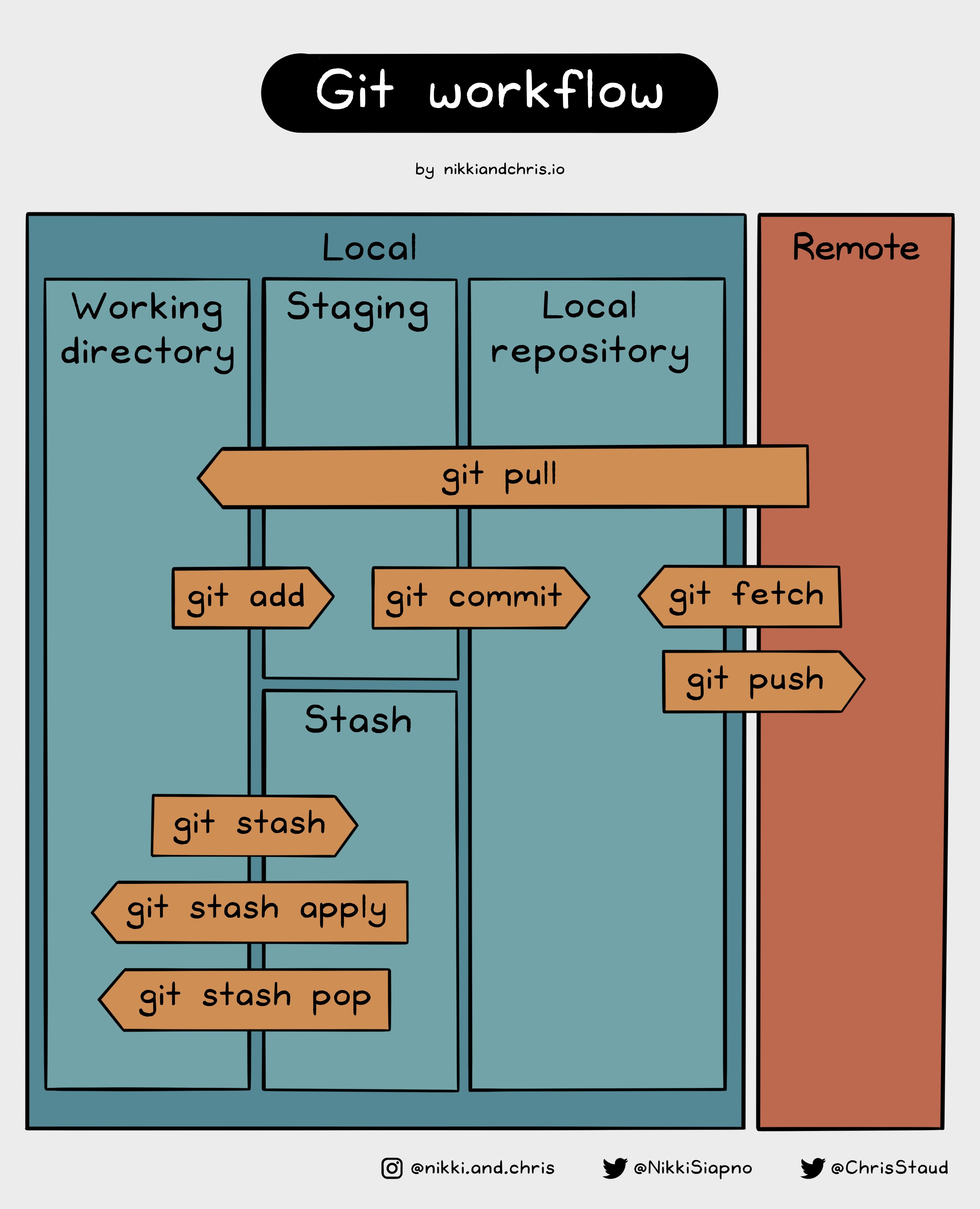
Nikki Siapno “Git workflow”
10.1 Checklist
Git and github are fundamental tools which will be relevant for collaborating on reliable computational projects, but it is not essential you master the full range of capabilities they offer for this module.
By the end of this class you should
- have a github account
- installed git on your local machine
- understand why git is useful for code projects
- recognise the essential terminology: repo/repository, remotes and local, clone, branches, commit, merge, rebase, push/pull
10.2 Resources
You can RTFM
- Official documentation: github pages
Or you can try one of the following tutorials, they all teach the same thing but in slightly different ways
- Jenny Bryan git and R Happy Git and GitHub for the useR
- Understanding Git Conceptually
- git/github guide a minimal tutorial
- Vuorre, M., & Curley, J. P. (2018). Curating research assets: A tutorial on the git version control system. Advances in Methods and Practices in Psychological Science, 1(2), 219-236.
- Software carpentry: Version Control with Git
- Seb James Git Tutorial repo, PDF of slides